
My Baby Unicorn - Pony Care
TutoTOONSEducational
3.92.43K Reviews
- Version
- 14.0.1462
- Installs
- 10.00M
- Age Rating
- Everyone
Screenshots
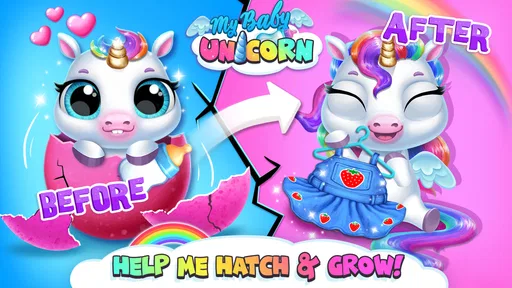
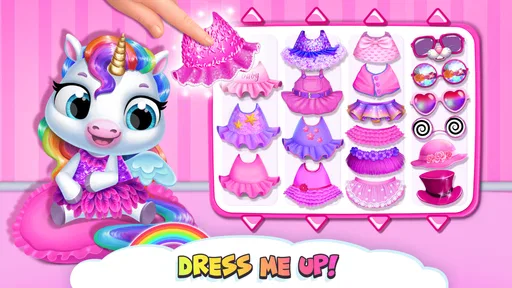
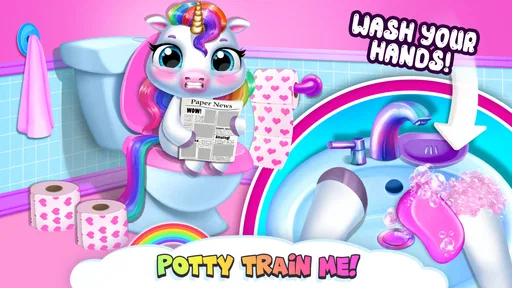
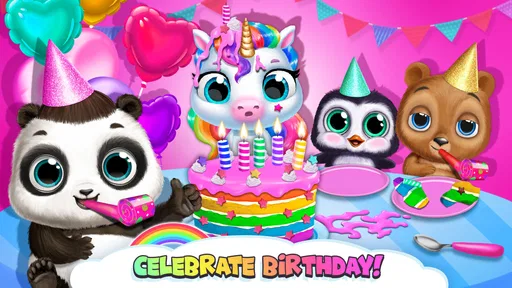
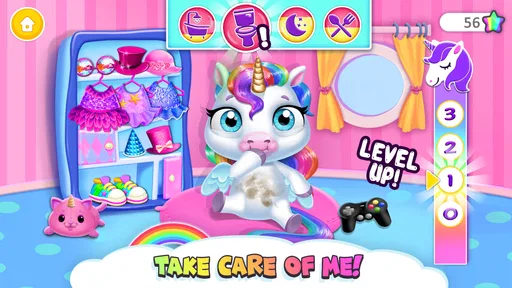

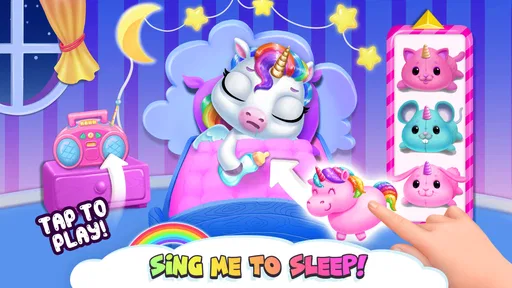
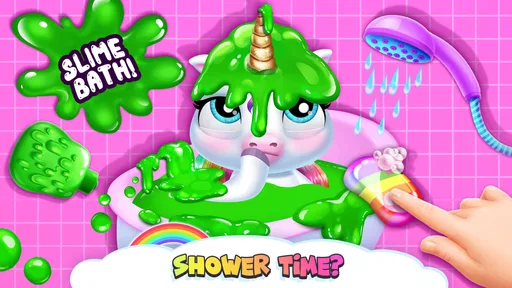
Our Review of My Baby Unicorn - Pony Care
 Analysis by Appyee
My first impression of My Baby Unicorn was that it understands the appeal of a virtual pet immediately. The pony is bright, expressive, and easy for a child to approach, while the care and dress-up format gives each short session a clear purpose. I could see the attraction within minutes: check on the pony, choose something fun to wear, and spend a little time making the character feel looked after.
That simple loop is also the main question behind this game. Cute presentation can carry a children’s game through its first week, but does it remain interesting once the surprise has gone? After looking at it as an educational game for children, rather than just a colorful distraction, I think the answer depends heavily on the child’s age, tolerance for repetition, and how the family handles optional purchases.
It is free to start, suitable for Everyone, and comes from TutoTOONS. The game was released on November 14, 2018, and its current version is 14.0.1462, with Android support from version 7.0 onward. Its popularity is easy to understand: it has passed 10 million installs, with a 3.9 average from around 60 thousand ratings and about 2.4 thousand written reviews. Those figures suggest a widely used game with a mixed but generally favorable reception, not an automatic recommendation for every child.
What keeps the first week engaging
I find the first week most engaging when a child has a small, personal idea to bring to each visit, rather than simply tapping through the same routine. Picking a color or occasion before opening the game can turn the pony’s care and outfit choices into a tiny creative task. That also makes it easier for a parent to notice whether the appeal comes from imaginative play or just the initial novelty.
A gentle virtual-pet routine
The strongest part of the experience is the feeling of responsibility without serious consequences. A child can interact with a little pony, care for it, and change its appearance in a setting that feels playful rather than demanding. That makes it a comfortable introduction to the idea of looking after a digital character. I would be more willing to hand this to a young child than a competitive game that pushes winning, losing, or fast reactions.
The care-and-dress-up combination also gives the child two different reasons to return. One session may focus on looking after the pony, while another may be mostly about choosing an outfit or creating a different visual style. This matters because children do not always want the same kind of play every time. The game can meet a short attention span better than an activity that expects a long uninterrupted session.
In the first week, novelty does much of the work. A child is likely to enjoy discovering what can be changed and repeating familiar interactions simply because the pony feels personal. That emotional connection is the game’s most effective teaching tool. It encourages gentle habits such as checking on something, completing a small sequence, and noticing the result.
Why it works in ordinary family moments
A realistic use case is the quiet period before dinner, during a short wait at an appointment, or while a parent is finishing a small household task. The game suits these moments because it does not require the same commitment as a long story game. A child can open it, spend a little time with the pony, and stop without losing the thread of a complicated adventure.
I also think it can work as a shared activity between an adult and a child. Instead of leaving the child alone with the screen, a parent can ask why a particular outfit was chosen, what the pony needs next, or which look feels most suitable. That turns dress-up from simple tapping into a small conversation about choices, care, and imagination. The game does not need to carry the entire educational experience by itself; it works better as a prompt for interaction.
Another useful approach is to give the child a clear stopping point. For example, I would suggest deciding in advance that the pony gets cared for and dressed once, then the device is put away. This avoids the common problem where a child keeps reopening a game without a real goal. The short-session nature is a strength, but only when the adult treats it as a bounded activity rather than an endless babysitter.
What children may learn indirectly
The educational value here is informal rather than academic. There are no obvious signs that this is meant to replace reading practice, mathematics, or a structured learning program. Its value comes from role-play: caring for a character, making decisions about appearance, and following a familiar routine. For younger children, those small actions can support language and social conversation when an adult plays alongside them.
The dress-up element can also encourage creative comparison. A child might decide that one combination looks cheerful, another looks suitable for a special occasion, or a third simply feels funny. Those choices are modest, but they give the child ownership. I found that more meaningful than treating the customization as decoration with no connection to the rest of the play.
There is a useful trade-off here. Because the game is approachable, it does not create much frustration for a beginner. However, the same simplicity means an older child looking for deeper puzzles, progression, or a stronger challenge may lose interest quickly. Parents should judge it as a gentle pet-care experience, not as a broad educational curriculum disguised as a game.
Whether it has value after the novelty fades
To judge whether the game earns a place beyond its first burst of charm, I would look for a child choosing to return without needing a new reward each time. A simple way to test that is to leave a day or two between sessions and see whether the child invents a fresh theme or conversation around the pony. That distinction helps separate lasting imaginative value from a brief attraction to a new app.
The month-to-month question
After the first weeks, the central issue becomes repetition. A virtual pet game can remain part of a child’s routine if the child enjoys returning to the character, experimenting with appearance, and repeating familiar care actions. It is less likely to last if the child needs constant new mechanics or a clear sense of advancement.
My view is that the recurring value comes mainly from personal attachment and creative play, not from increasingly complex systems. That can be enough for a younger player who likes predictable routines. It is not enough for every child, especially one who quickly moves from one game to another or expects each session to introduce something substantially new.
One way to extend its useful life is to create small themes rather than simply reopening the game at random. A child could choose a color idea, make a cheerful outfit, or decide on a “care first, dress-up second” routine. These self-made goals give the game structure without pretending that it offers a deep campaign. They also help reveal whether the child genuinely enjoys the activity or is only responding to the excitement of opening a familiar app.
Maintenance without turning play into a chore
The maintenance burden is fairly light in concept, but it still deserves attention. Any virtual-pet format can become demanding if a child feels responsible for checking constantly. I would avoid presenting the pony as a real obligation that must be monitored throughout the day. A healthier rhythm is to use it during planned playtime, then close it and move on to offline activities.
Parents should also decide who handles purchases before handing over the device. The game is free, but its in-app purchases range from $3.99 to $159.99 per item. That is a very wide range, and it makes supervision important even when the child only intends to explore clothing or care options. I would not leave purchase decisions to a young child, and I would explain clearly that seeing an item does not mean it is automatically available.
This is one of the less obvious practical issues with a game aimed at children: the emotional design can make optional content feel like part of caring for the pony. A child may not understand the difference between a necessary action and a paid extra. An adult can reduce that confusion by setting a simple rule before play, such as no purchases during the session and questions first if something appears locked or offered.
Device management matters too. Since the game is designed for children, I would test it personally before making it part of a regular routine, check how the screen feels in the child’s hands, and observe whether the child can stop comfortably. The most useful review is not just whether the pony is appealing, but whether the whole experience fits the family’s boundaries around screen time and spending.
Where fatigue begins
The first source of fatigue is predictable interaction. If a child does not care strongly about the pony, repeating similar care and appearance decisions may soon feel empty. The game’s calm pace will be reassuring for some players, but slow for others. Children who prefer action, exploration, or competition may ask for a different game after the initial charm wears off.
The second source is the limited educational depth. Calling it educational is reasonable when the focus is on imaginative role-play and simple responsibility, but I would not choose it for a child who needs measurable practice in school subjects. A dedicated literacy, numeracy, or puzzle app would be a better match for that goal. This game is strongest when the objective is gentle engagement, not formal instruction.
Customization can create a similar problem. Dress-up is enjoyable when each choice feels fresh, but it can become a collection exercise if the child starts focusing only on obtaining more items. That shifts attention away from caring for the pony and toward unlocking or acquiring. Families that want a low-pressure experience should watch for that change and redirect play toward making choices with what is already available.
There is also a difference between a game that is pleasant in short bursts and one that deserves permanent space on a device. I would not call this an essential long-term app for every child. Its lasting place is earned when the child repeatedly returns for imaginative play without needing constant rewards or adult prompting. If the game is opened only because there is nothing else to do, its value may be more temporary than it first appears.
How it compares with common alternatives
Compared with a standard dress-up app, this game has a clearer emotional center because the child is styling a living virtual character rather than arranging clothes on a static figure. That makes choices feel more connected to care and personality. The trade-off is that a pure dress-up experience may offer more freedom for children who only want fashion play and do not care about pet routines.
Compared with more demanding virtual-pet games, this one is a gentler choice. It is better suited to a young child who needs an uncomplicated introduction to the format. A more advanced pet simulator may provide richer systems and stronger long-term goals, but it can also bring more pressure, complexity, or frustration. I would choose this game when accessibility matters more than depth.
Compared with structured educational apps, it is much less focused on a specific learning outcome. A child practicing letters or numbers would probably benefit more from a purpose-built learning tool. My Baby Unicorn - Pony Care is a better companion app for imaginative downtime, especially when an adult wants to turn the child’s choices into conversation rather than measure progress through lessons.
Who should try it, and who should skip it
I would recommend it to families looking for a friendly first virtual-pet experience, particularly for children who enjoy animals, colorful customization, and repeating comforting routines. It is also a reasonable choice for short waiting periods, provided an adult has already set expectations about time and purchases.
I would be more cautious for children who become upset when content is unavailable, who struggle to stop playing, or who need a game with substantial challenge. I would also skip it as the main educational app if the family’s goal is curriculum practice. In those cases, a focused learning game or a more open-ended creative tool would serve the child better.
The age rating of Everyone makes the intended audience broad, but that does not remove the need for parental judgment. A rating can describe general suitability; it cannot decide whether a particular child handles repetition, virtual responsibility, or optional spending comfortably. Watching the first few sessions will tell a parent more than the label alone.
My long-term verdict
After the initial cuteness settles, My Baby Unicorn earns lasting space only under the right conditions. It is not a deep educational adventure, and it is unlikely to satisfy a child who needs constant novelty. Its stronger qualities are gentleness, accessibility, and the small sense of ownership created by caring for and dressing the pony.
I like it most as a short, supervised routine rather than an always-available default. Used that way, it can support imaginative play, simple conversations about responsibility, and creative choices without demanding a large time commitment. The main maintenance task is not complicated gameplay; it is keeping screen time and optional spending from becoming the real focus.
TutoTOONS has made a welcoming game for children who enjoy virtual pets, but the free entry point should be treated carefully because individual in-app purchases can be substantial. If a child still returns to the pony after the novelty has faded, invents personal themes, and plays comfortably within family limits, the game has genuine recurring value. If interest depends on new unlocks or constant prompting, it is better viewed as a pleasant temporary download.
My final recommendation is therefore positive but specific: try it for a younger child who wants a cute companion and a calm care-and-dress-up activity, then judge its place by the child’s habits over time. It succeeds when the pony inspires imagination and a manageable routine. It falls short when the family expects deep lessons, advanced gameplay, or unlimited long-term variety.
Verdict
Strengths of My Baby Unicorn - Pony Care
- Colorful graphics and cute unicorn characters appeal to young children.
- Simple touch controls make activities easy for preschool players.
- Many care tasks encourage gentle, nurturing pretend play.
- Short activities are suitable for quick play sessions.
- Works well as a relaxing, low-pressure game for younger kids.
Limitations of My Baby Unicorn - Pony Care
- Some content may feel repetitive after several play sessions.
- Frequent ads can interrupt gameplay in the free version.
- Several items and activities may require in-app purchases.
- The game offers limited challenge for older children.
- Parental supervision is recommended for purchases and advertising.
Other Releases by TutoTOONS
View All
Fluvsies - A Fluff to Luv
Educational4.1

Sweet Baby Girl Cleanup 5
Educational3.8

Smolsies - My Cute Pet House
Educational4.1

Bunnsies - Happy Pet World
Educational4.0
Similar Picks in This Category
View All
Little Panda Policeman
BabyBus4.0

Monster Trucks Game for Kids 2
Raz Games4.1

Little Panda's Chinese Recipes
BabyBus4.4

Little Panda's Restaurant
BabyBus4.4

Little Panda's Ice Cream Games
BabyBus4.3

Baby Panda Care
BabyBus3.8
Frequently Asked Questions
What is My Baby Unicorn - Pony Care about?
My Baby Unicorn - Pony Care is a virtual pet game centered on looking after a colorful baby unicorn. Players can feed, bathe, dress, entertain, and care for the pony while completing playful activities and mini-games. The experience is designed mainly for children and casual players who enjoy nurturing pets, decorating characters, and exploring a cheerful fantasy world.
Is My Baby Unicorn - Pony Care suitable for children?
The game is generally aimed at young children and families, thanks to its bright visuals, simple controls, and gentle pet-care activities. However, parents should review the app’s age rating, privacy information, and available parental controls before installation. Some content, advertisements, or optional purchases may vary depending on the device, region, and version of the application.
Does the game require an internet connection to play?
Many of the basic pet-care activities can usually be enjoyed without a continuous internet connection, which is convenient for travel or offline play. Nevertheless, certain features may depend on connectivity, including advertisements, downloadable content, updates, special events, or purchases. It is best to launch the game online after installing it so all required resources can finish loading.
Are there in-app purchases or advertisements in My Baby Unicorn - Pony Care?
The game may include advertisements and optional in-app purchases, a common model for free-to-download children’s games. These can potentially unlock outfits, accessories, activities, or other extras. Parents should check the store listing and configure purchase restrictions on the device before allowing children to play, since accidental taps can otherwise lead to unwanted advertising or transactions.
What devices are compatible with My Baby Unicorn - Pony Care?
Compatibility depends on the current Android or iOS requirements published in the relevant app store. Before downloading, check the listed operating-system version, required storage, and developer information for your device. Older phones and tablets may install the game but provide slower performance, longer loading times, or reduced visual quality, especially during animated activities and character customization.
Play our best games!


